...
Official portal: sso.rajasthan.gov.in
Updated: 12 July 2026 · हिन्दी / English
से SSO ID RajasthanSingle Sign-On Guide
Digital Rajasthan Initiative · DoIT&C

One identity for every Rajasthan government service.

The complete, source-verified guide to the Rajasthan Single Sign-On portal: registration, login, password recovery, OTR for 2026 recruitment, and Jan Aadhaar updates.

9 official .gov.in sources cited Fact-checked weekly Written & reviewed by a named editor
Portal overview

What is the Rajasthan SSO portal?

The Rajasthan Single Sign-On (SSO) portal is a digital identity system built by the Department of Information Technology & Communication (DoIT&C) under the Digital Rajasthan programme. One username and password unlocks 100+ state and central government services, so you never register separately with each department again.

Create your SSO ID once and it becomes your key to e-Mitra bill payments, RPSC and RSSB recruitment, scholarships, Jan Aadhaar, health insurance, RajKaj for employees, and business licensing. It is completely free, works in Hindi and English, and is available on web and the official Raj SSO Android app.
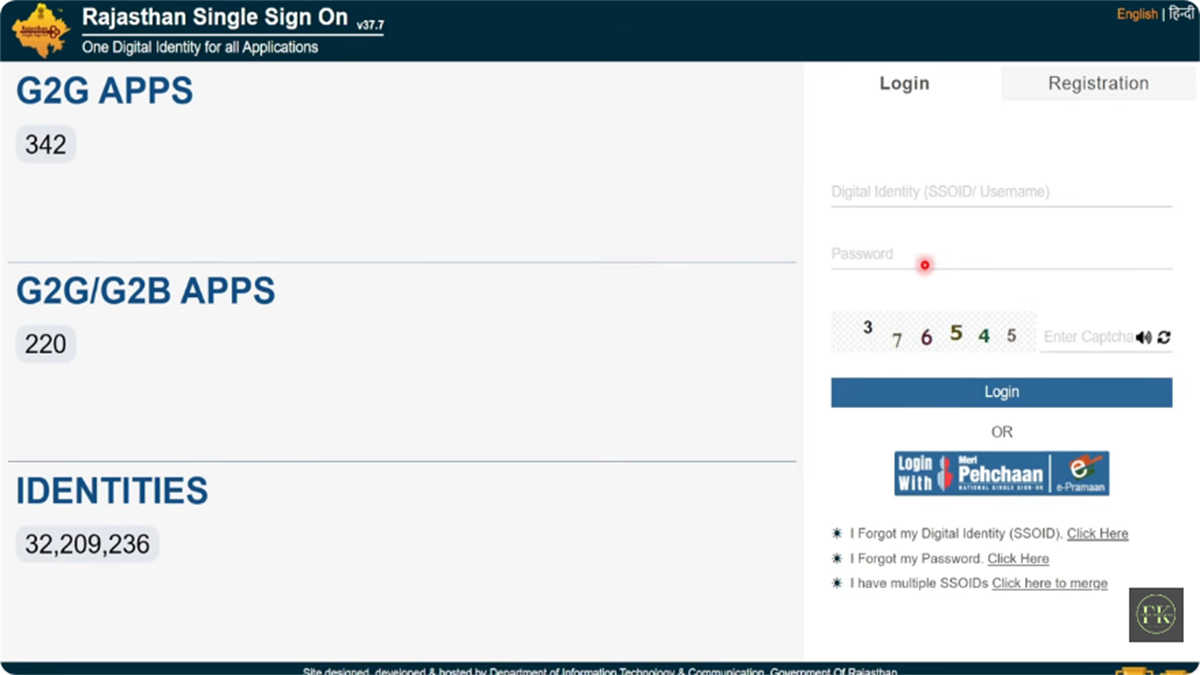
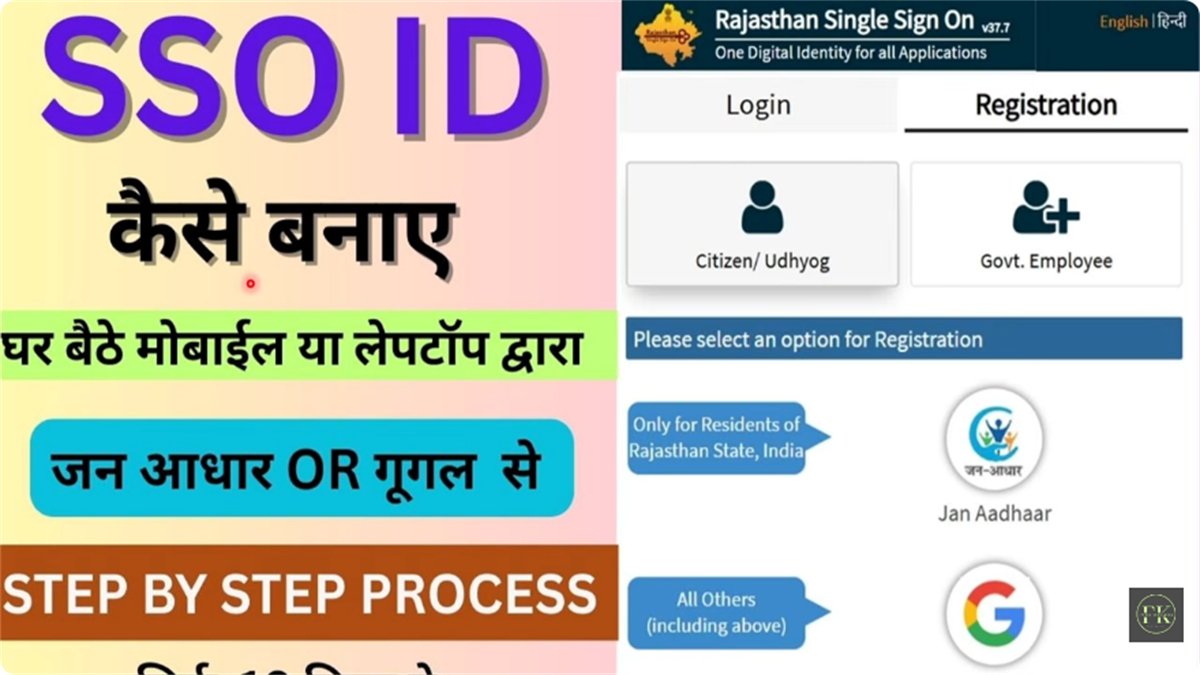
SSO ID Rajasthan login page
Official websitesso.rajasthan.gov.in
Launched byDept. of IT & Communication, Govt. of Rajasthan
Primary goalA single window for 100+ e-governance services
Top servicese-Mitra, Recruitment (RPSC/RSSB), Scholarships, Jan Aadhaar, RajKaj
CostFree for all users
Mobile appRaj SSO — Google Play Store
LanguagesHindi & English
Helpdesk0141-5153222 · helpdesk.sso@rajasthan.gov.in
Service categories

What you can do with an SSO ID

The dashboard groups Government-to-Citizen (G2C) and Government-to-Government (G2G) apps by who you are. Here is what each user type gets.

Students & job seekers

Recruitment, scholarships, digital learning
  • Recruitment Portal — RPSC, RSSB, Police with OTR
  • Scholarship (SJE) — Social Justice scholarships
  • e-Learning / e-Library — Digital study material
  • ABC ID — Academic Bank of Credits

General citizens

Everyday services and family records
  • e-Mitra — 500+ services: bills, certificates
  • Jan Aadhaar — Update family details
  • Rajasthan Sampark (181) — Grievance tracking
  • Chiranjeevi / MAAY — Health insurance
  • Raj eVault — Digital document locker

Government employees

Service records, pay and attendance
  • RajKaj — Leave, ACR, correspondence
  • SIPF — PF balance, insurance, loans
  • PayManager — Salary slips, GA-55
  • Attendance MIS — Office attendance
  • e-GRAS — Government receipts

Business owners

Registration, approvals and compliance
  • GST Home Portal — State GST filing
  • BPAS — Building plan approvals
  • Udyog Aadhaar / BRN — Business registration
  • Industrial Licences — Permits & renewals
  • Labour Department — Factory compliance
Step by step

How to register for an SSO ID

Registration is free and takes under five minutes. First, pick the method that matches you.

Jan Aadhaar

For Rajasthan residents. Auto-links your family record and unlocks scholarships and recruitment instantly.

Recommended

Google / Gmail

For anyone, including out-of-state candidates who need an ID for RPSC/RSSB exams.

SIPF (Employees)

Government staff register with SIPF number and password (default: date of birth as DDMMYYYY).

BRN / Udyog Aadhaar

Business owners register using a Business Register Number or Udyog Aadhaar.

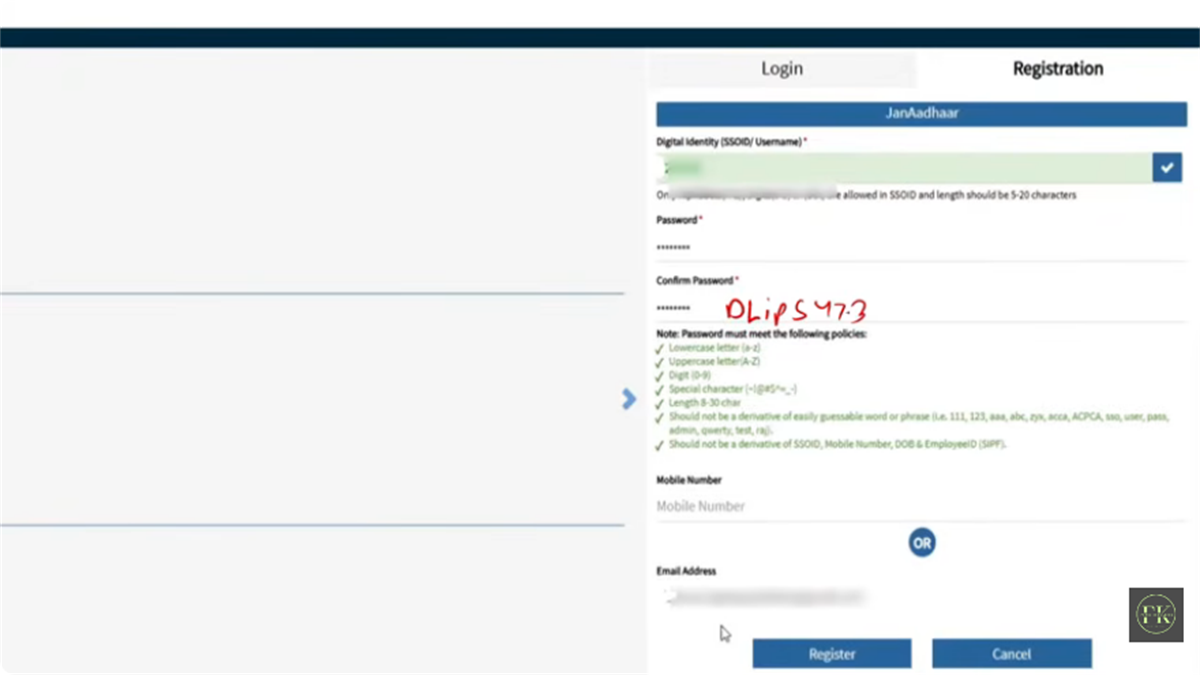
SSO ID Rajasthan registration options
The full 6-step flow, username rules, and password rules live on the dedicated registration guide.
Read the full registration guide
Account recovery

Forgot your SSO ID or password?

You can recover both in minutes, and the fastest route doesn't even need the internet.

Recover a forgotten SSO ID

Quickest — via SMS

From your registered mobile, send RJ SSO to 9223166166. You get your SSO ID back by instant reply. No internet needed.

Via the portal

Login page → "I Forgot my Digital Identity (SSOID)" → select ID type → verify OTP → your SSO ID shows on screen.

Reset a forgotten password

Via SMS

Send RJ SSO PASSWORD to 9223166166 from your registered number.

Via the portal

Login page → "I Forgot my Password" → enter SSO ID and email → choose OTP delivery → open the reset link → set a new strong password.

SSO ID password reset rules
Full recovery guide, including the lost-mobile fallback
Recruitment 2026

One-Time Registration (OTR)

Pay once, register once, then apply to multiple government vacancies all through 2026.

OTR fee by category
CategoryOTR fee
General / OBC (creamy) / other state₹600
SC / ST / OBC (NCL) / EWS / PwD (Rajasthan)₹400
Once paid, no individual exam fees for 2026: CET, LDC, Patwari and others are covered.
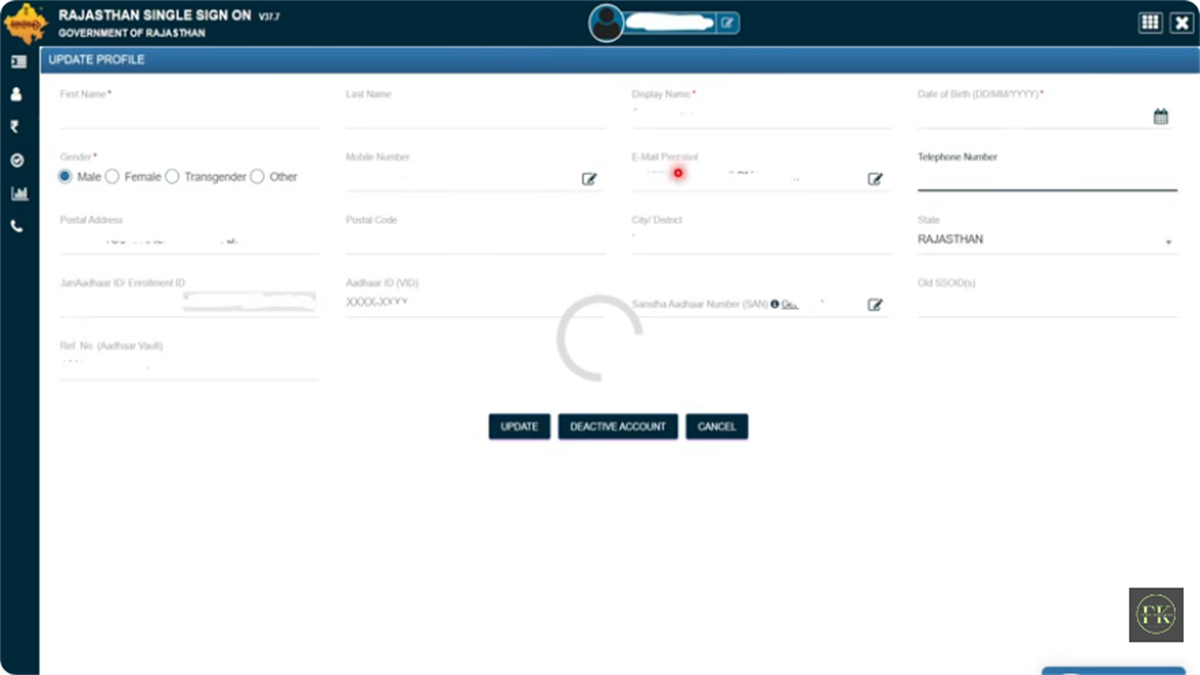
SSO ID Rajasthan profile update screen
Full OTR 2026 guide
Duplicate account fix

Merging multiple SSO IDs

Many people accidentally create two IDs, one with Google and one with Jan Aadhaar. Since your Aadhaar can only link to one, this blocks scholarship and job applications.

The "Deactivate Account" button doesn't delete anything. It opens a merge dialogue that safely transfers all your data to the ID you keep.
Full merge guide, and which ID to keep
Family records

Update Jan Aadhaar via SSO

Mandatory for Chiranjeevi health insurance, Anuprati coaching, and other Rajasthan schemes. Free through your SSO ID.

Phase 1 — Mandatory e-KYC (do this first)

Complete e-KYC for every family member above 5 years before editing anything: log in → click the Jan Aadhaar icon → select "Jan Aadhaar e-KYC" → authenticate each member with Aadhaar OTP.

Phase 2 — Editing information

After e-KYC you can update income, bank account, mobile number, and address. Click Save, then e-Sign with the Head of Family's OTP.

Documents required by update type
Update typeRequired document (scanned PDF)
Income updateSelf-declaration or Income Certificate (I, J, K forms)
Bank detailsBank passbook or cancelled cheque
New memberBirth certificate & Aadhaar card
Marriage updateMarriage certificate
Land details (farmer)Jamabandi

Requests take 7–15 days through two-level verification. Check "Enrolment Status" in your Jan Aadhaar dashboard: a green checkmark means approved, a red cross means you should re-upload a clearer scan.

Official support

SSO Rajasthan helpdesk

Support hours are Monday to Friday, 10:00 AM to 6:00 PM.

Helpline (general)0141-2925554 / 0141-5123717
Alternate helpline0141-5153222
Email supporthelpdesk.sso@rajasthan.gov.in
Jan Aadhaar toll-free1800-180-6127
Recruitment help7340557555 / 9352323625
Recover ID by SMSRJ SSO → 9223166166
Common questions

Frequently asked questions

Can someone from outside Rajasthan register for an SSO ID?

Yes. Anyone can create an SSO ID using a Google/Gmail account. Many services are for residents only, but candidates from other states need an SSO ID for RPSC/RSSB jobs and are treated as General category (₹600 OTR fee).

Is there an age limit to create an SSO ID?

There's no official age limit. Students usually create one from Grade 6 onwards for scholarships. Children under 18 may need a parent's help for OTP verification.

What if the website shows "Server Busy"?

Traffic spikes near exam deadlines. Clear your cache (Ctrl+Shift+Del) or use a private window, and try off-peak, before 9 AM or after 8 PM. The Raj SSO mobile app is a good alternative during slowdowns.

How do I change my name or date of birth in my SSO profile?

You can't edit these directly if your profile is linked to Jan Aadhaar or Aadhaar. Update your Aadhaar/Jan Aadhaar record at a government centre first, then click "Fetch / Update Profile" in SSO to sync the corrected data.

Can one SSO ID be used for both RPSC and scholarship applications?

Yes, that's the whole point. One SSO ID gives access to the Recruitment Portal, Scholarship Portal (SJE), e-Mitra, and every other service. No separate accounts needed.

Is the Raj SSO mobile app safe?

Yes, only if downloaded from the official Google Play Store listing by the Rajasthan Government. Never install SSO apps from third-party sites or APK files, they can steal credentials. The official app supports biometric login.

I have two SSO IDs. Which one should I keep?

Keep the ID linked to your Jan Aadhaar or, if you're a government employee, your Government Employee ID. Log in to the other one and use the merge flow to transfer its data across. See merging multiple SSO IDs.

Editorial standards

Who writes this, and how it's verified

JM
Junaid MalikContent Editor · e-Governance

Four-plus years covering Rajasthan e-governance. Every guide on this site is written, sourced, and signed with public accountability. Spotted an error? Email corrections and we update within 48 hours.

  • Primary sources onlyEvery fee, rule, and helpline is sourced directly from .gov.in domains, never third-party blogs.
  • Reviewed weeklyNotifications and fee changes from RPSC, RSSB, and DoIT&C are checked every Friday.
  • Named authorEvery guide is signed by a real editor with public profiles for accountability.
  • Corrections welcomedReader-reported errors are reviewed and fixed within 48 hours.

Official sources & references

Primary
sso.rajasthan.gov.inThe official SSO registration, login, and services portal.
Authority
doitc.rajasthan.gov.inDept. of IT & Communication, which runs the SSO programme.
Linked
janaadhaar.rajasthan.gov.ine-KYC requirements and family-record updates.
Recruitment
rpsc.rajasthan.gov.inOTR fee structure and eligibility rules.
Recruitment
rssb.rajasthan.gov.inCategory concessions and CET / LDC / Patwari notices.
Schemes
sje.rajasthan.gov.inScholarship eligibility and income slabs.
Linked
emitra.rajasthan.gov.inThe catalogue of 500+ citizen services.
Master
rajasthan.gov.inApex state portal confirming SSO as an official initiative.

Ready to create your SSO ID?

Registration takes under five minutes and is completely free. Keep your Jan Aadhaar and registered mobile ready.

Seraphinite AcceleratorOptimized by Seraphinite Accelerator
Turns on site high speed to be attractive for people and search engines.